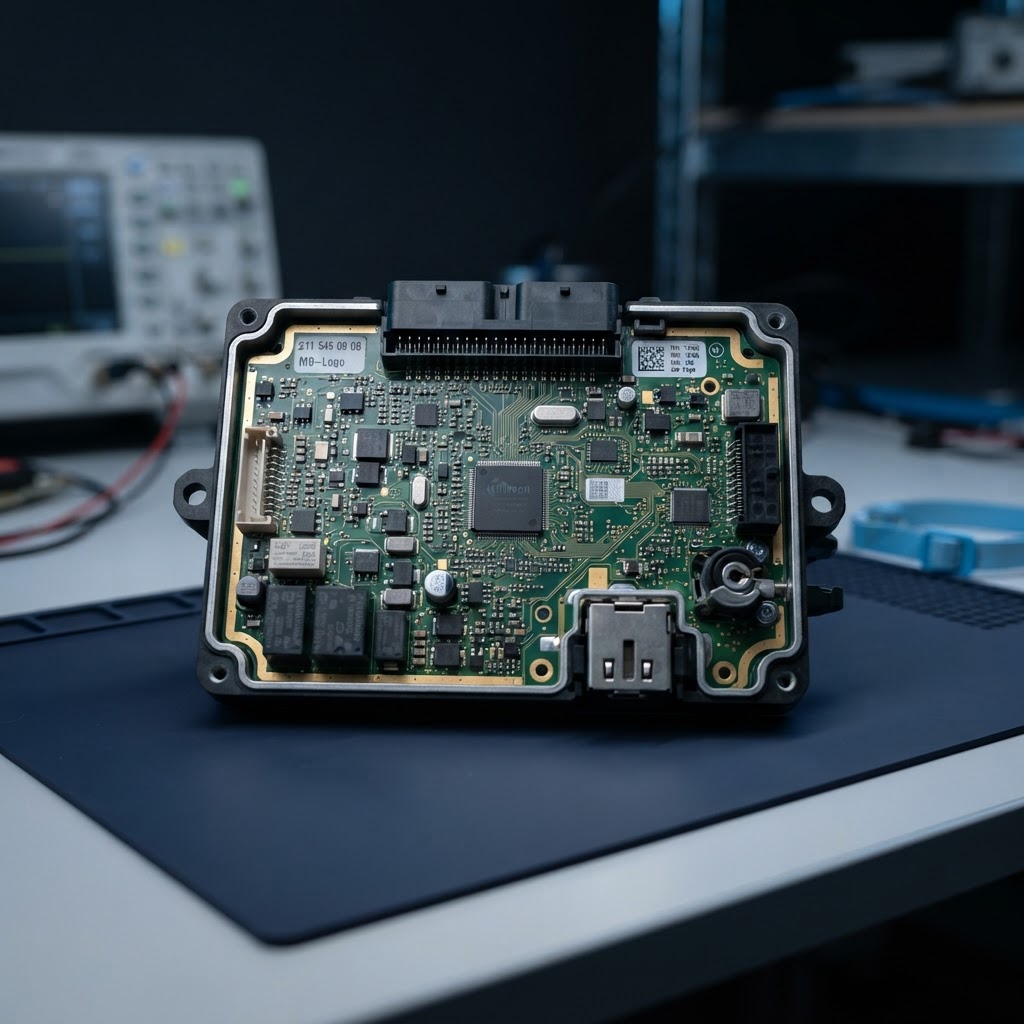
Electronic Ignition Switch (EZS): Function, Common Symptoms and ECU Diagnosis
2026-10-10
Learn what an electronic ignition switch (EZS) does, which symptoms may indicate a fault, and why vehicle-specific ECU diagnosis matters.
Electronic Ignition Switch (EZS): Function, Common Symptoms and ECU Diagnosis
What does EZS mean?
EZS stands for electronic ignition switch. Unlike a purely mechanical ignition lock, it is part of the vehicle's electronic architecture. Depending on the vehicle model, the EZS performs functions related to key recognition, ignition authorisation and communication with other control units. It is therefore more than a simple switch: it operates as an electronic module within a connected system.
The exact design, name and function vary by manufacturer, model series and year. Some vehicles use a different abbreviation. For that reason, a symptom should not be assessed from the term "EZS" alone. The specific vehicle, installed unit and diagnostic information all matter.
What does the EZS do?
Several conditions must align during the starting process. The system must recognise the key, coordinate the required authorisations and communicate with the vehicle control units involved. The EZS is part of this process. A fault can therefore appear at different points, even when the module itself is responsible.
Typical functions include electronic key verification, control or authorisation of ignition states, and communication with other control units. The functions grouped within the EZS depend on the vehicle. A reliable diagnosis takes the architecture of the particular model into account rather than applying general assumptions to every vehicle.
Common signs of a possible EZS fault
Possible signs include a key that is not recognised consistently, ignition that is not authorised as expected, or the vehicle failing to enter the intended start state despite normal operation of the controls. Intermittent starting problems may also warrant an inspection. These symptoms, however, do not confirm an EZS fault on their own.
Similar behaviour can have other causes in the electronic system. Examples include an inadequate power supply, contact issues, damaged wiring, communication faults or a fault in another participating control unit. Attributing the problem to the EZS too quickly can lead to unnecessary part replacement. Record the observations carefully: Is the fault permanent or intermittent? Does a message appear? Does the behaviour change with a particular key or after the vehicle has been parked for a long time?
Diagnosis: start with the vehicle and the symptoms
A proper assessment begins with the vehicle details and a clear description of the fault. Useful information includes make, model, year, engine specification, and the known control-unit designation or part number. Any stored fault codes and the conditions under which the issue occurs should also be documented.
The available diagnostic information is then considered together. This may include relevant fault codes, communication with the participating control units, and indications of power or connection issues. A single fault code does not automatically prove that the EZS is defective. It is one clue that must be considered alongside the symptoms and system architecture.
For intermittent faults, repeatable documentation is especially helpful. Note whether the issue appears when the vehicle is cold or warm, after it has been parked, and whether the display or starting behaviour is consistent. Avoid making independent changes to vehicle-related systems. A qualified inspection helps narrow down the cause before a repair is considered.
Repair or further inspection?
Whether repair of the unit is possible and appropriate can only be assessed after reviewing the specific EZS and the information provided. Not every starting problem means the electronic ignition switch is faulty, and different units do not all develop the same fault. A blanket repair promise should therefore not be made in advance.
For an initial assessment, submit the vehicle details, symptoms and any available fault codes through the control-unit assessment portal. Describe as precisely as possible what happens when the key is inserted or operated and which indicators appear. After the unit is received, processing usually takes 2 to 3 working days, plus shipping time. Work carried out is covered by a 12-month warranty. Express or same-day processing is not offered.
Preparing a unit for shipment
Send a control unit only after the enquiry has been reviewed and a fixed-price quote has been issued. The team needs a clear fault description, the vehicle model and year, and any available details about the unit. Add which checks have already been performed and whether the fault is permanent or occasional. Use the RazTech submission portal to make the enquiry.
Pack the unit securely for transport and protect it against electrostatic discharge. Do not include additional vehicle parts unless they have been specifically requested. A complete description helps identify the unit and reduces follow-up questions. Further information about the process and submission is available through the control-unit repair portal.
Contact hours
RazTech is available Monday to Friday from 9:00 to 18:00 (CET/Berlin). Weekend availability is limited to urgent emergencies. For an EZS enquiry, submit the vehicle and fault details through the portal. This allows the team to first assess whether the unit fits the reported symptoms and what the appropriate next step may be.
Frequently asked questions about the EZS
Does a starting problem automatically mean the EZS is defective?
No. Similar symptoms can have other electrical or electronic causes. Vehicle details and diagnostic information need to be assessed together.
What should I provide for an assessment?
Include the vehicle model, year, known EZS designation or part number, exact symptoms and any fault codes. The more precise the information, the easier it is to assess the enquiry.
How long does processing take?
After the unit is received, processing usually takes 2 to 3 working days, plus shipping time. Work carried out is covered by a 12-month warranty. Express or same-day service is not offered.